Qhub360 Mobile App (Android)
The QHUB360 – Smart Workforce AI mobile app makes it easy for employees to manage their work from anywhere.
Open the Google Play Store on your Android phone.
Search for “QHUB360 – Smart Workforce AI”.
Tap Install to download the app.
Or, simply scan the QR code provided by your company to download directly.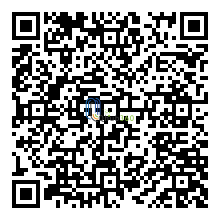
Once your account is created, you will receive an email from your employer. The email contains:
Username
Password
Business ID
👉 Enter these details the first time you log in. You only need to do this once.
After login, go to the Profile section and add your personal information (e.g., phone number, address, emergency contact).
With the Qhub360 mobile app, you can easily:
✅ View upcoming shifts — see when and where you’re scheduled.
✅ Submit your availability — tell your manager when you can work.
✅ Request leave or shift changes — apply for holidays or swap shifts.
✅ Submit holiday requests directly from your phone.
✅ Chat with colleagues through the built-in messaging feature.
✅ Track your work hours & reports — check your attendance and history.
✅ View payslips or invoices whenever they’re released.
The Qhub360 app helps you stay connected with your team, manage your schedule, and keep track of your work details — all from your mobile device.